GEO, short for generative engine optimization, is the work of making your pages more likely to be used in answers from AI search tools. For Google’s AI Overviews and AI Mode, Google says SEO best practices still apply and no special optimization is needed. A page has to be indexed and eligible to show with a snippet. Nobody can promise that a page will be cited in an AI answer, and this article does not.
What is GEO?
GEO is a name the industry uses for optimizing content for AI-generated answers. You will also see “AI search optimization” and “AEO.” The names vary, and none of them is a Google product or a Google requirement.
In practice, the goal is simple. When someone asks an AI tool a question, you want your page to be one of the sources it uses. To check whether that is happening, you need to track what AI answers say about you; our guide to budget AEO tools compares free and low-cost options.
This article covers Google’s AI features, because Google has published guidance on them. Other AI tools do not all publish guidance, so claims about them should be treated with care.
What does Google say about AI Overviews and AI Mode?
These points come from Google Search Central’s page “AI features and your website”:
- SEO best practices remain relevant for AI Overviews and AI Mode.
- There are no additional requirements and no special optimizations needed.
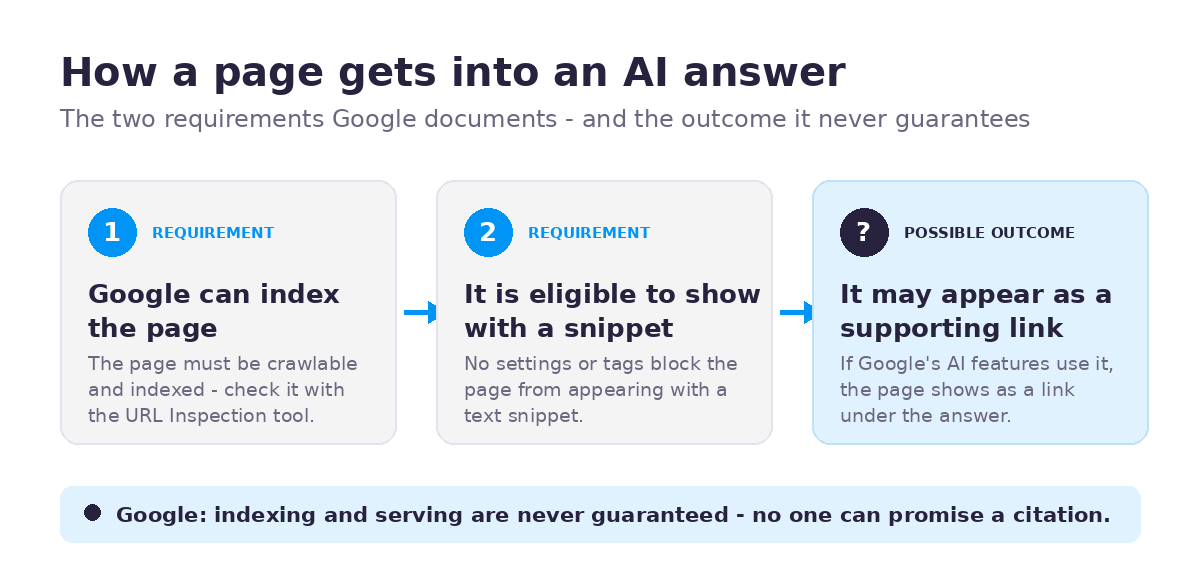
- A page must be indexed and eligible to show with a snippet to appear as a supporting link.
- You do not need new machine-readable files, AI text files or markup.
- There is no special schema.org markup for AI features.
- Structured data must match the visible text on the page.
- Indexing and serving are never guaranteed.
If you already do the basics well, Google’s own guidance says there is no separate GEO checklist to add on top for its AI features.
How does a page get into an AI answer?
For Google’s AI features, the documented path has two steps. Google must be able to index the page, and the page must be eligible to show with a snippet. Beyond that, Google does not publish a formula.
Google also says AI features may use “query fan-out.” That means the system can run several related searches across different subtopics to build one answer. Google does not say what this means for how to write your pages.
My own reading, which is an inference and not a Google statement, is that a page that clearly covers the questions around a topic gives the system more to match. Treat that as a reasonable way to plan content, not as a proven method.
What doesn’t help, or is unproven?
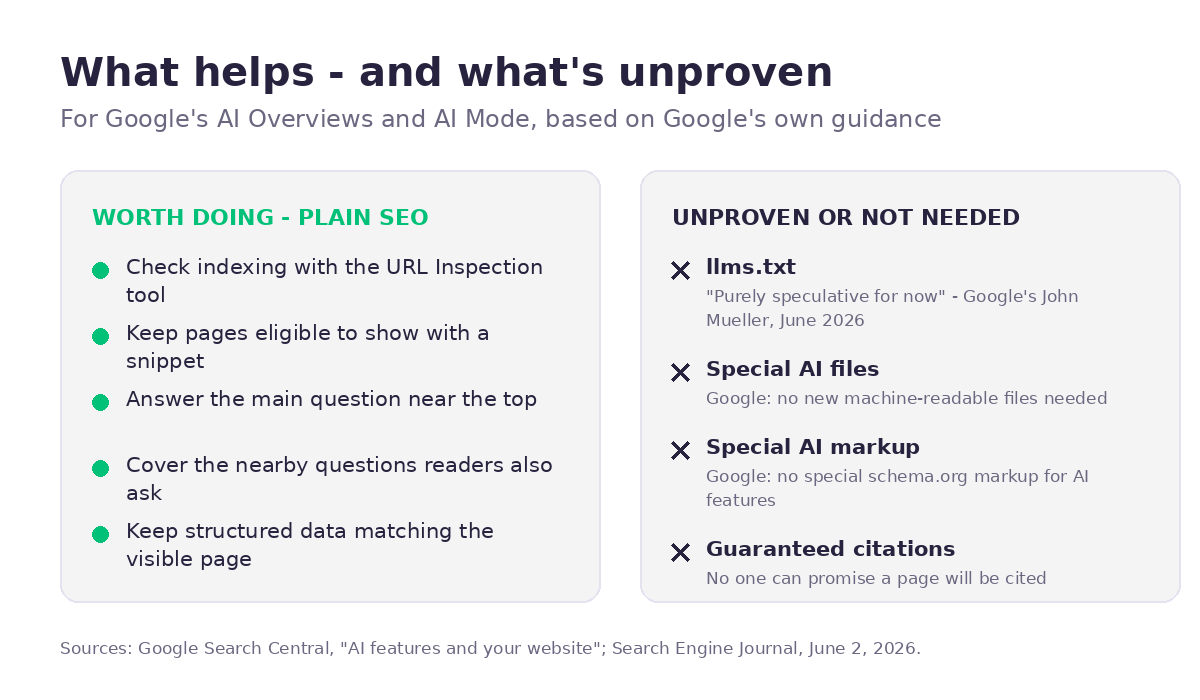
Special AI files. Google says you do not need new machine-readable files or AI text files for its AI features.
llms.txt. This is a proposed file that some people add to their sites hoping AI tools will read it. In a Reddit reply reported by Search Engine Journal on June 2, 2026, Google’s John Mueller called it “purely speculative for now” and said none of the AI systems use it. That is one Google employee’s statement as of that date. It does not speak for every AI provider, and it can change. I do not claim llms.txt improves AI visibility.
Special markup. Google says there is no special schema.org markup for AI features. If you use structured data for other reasons, it must match what is visible on the page. I do not claim that any markup, including FAQ markup, improves your chances of appearing in AI answers.
Promises. Anyone who guarantees traffic or AI citations is promising something Google says it does not guarantee. Indexing and serving are never guaranteed.
What should you check on your own site?
Start with what Google documents. These steps are plain SEO, not secret GEO tactics.
- Check indexing. In Google Search Console, use the URL Inspection tool on your important pages. If a page is not indexed, fix that first.
- Check snippet eligibility. Make sure you have not blocked snippets with page settings you did not intend.
- Answer the question on the page. Put the plain answer near the top, then explain. This is my working practice, not a Google rule.
- Cover the nearby questions. If someone asks about GEO, they may also ask what it costs, how to measure it, and what does not work.
- Keep structured data honest. If you add it, make sure it matches the visible text.
Example: checking this site
Here is what a public check of seomadeasy.com showed on November 13, 2026. The robots.txt file allows crawling of the site and points to the sitemap. The sitemap at /wp-sitemap.xml lists the published posts and pages. The post I checked carries a canonical tag. The site also has an llms.txt file, which, as covered above, is optional and unproven. What public pages cannot show is whether Google has indexed each page. That needs Search Console, so it is the first thing to check.
How can you see AI feature traffic in Search Console?
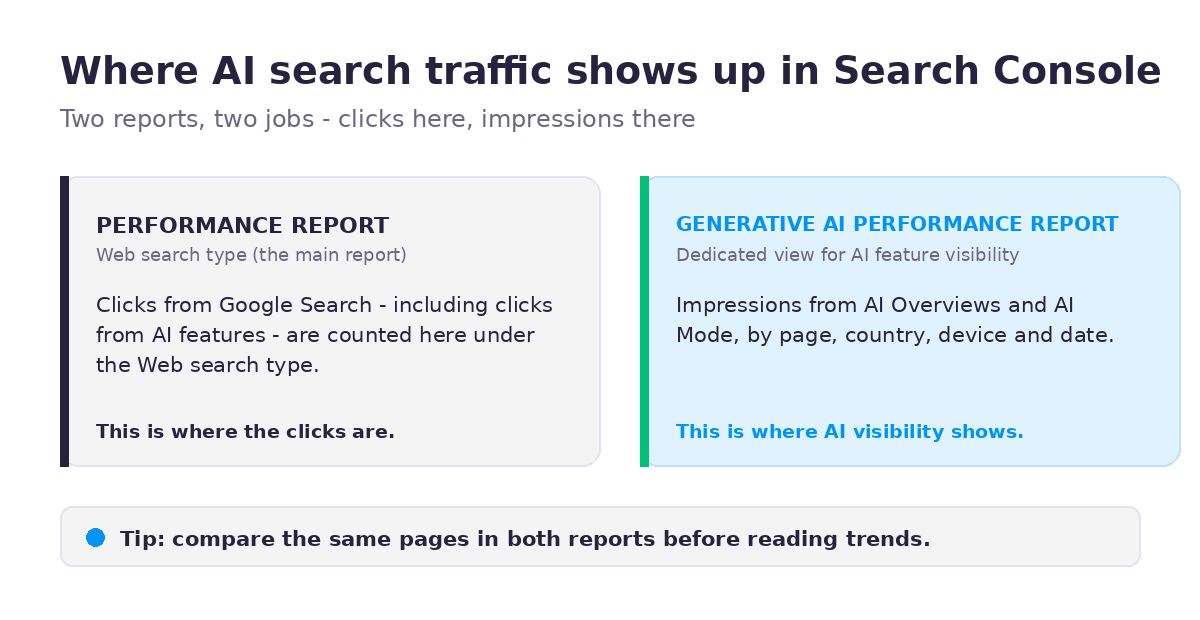
Impressions from AI Overviews and AI Mode are in Search Console’s dedicated Generative AI performance report; clicks are counted in the main Performance report under the Web search type. Check your impressions and clicks over time, and look at the pages and queries involved.
FAQ
Is GEO different from SEO? For Google’s AI Overviews and AI Mode, Google says SEO best practices remain relevant and no special optimizations are needed. “GEO” is mostly a label for SEO work aimed at AI answers.
Do I need an llms.txt file? Google’s guidance says you do not need new files for its AI features. Mueller’s June 2026 comment, as reported, was that it is purely speculative for now. That is not proof about every AI tool, but there is no confirmed benefit to point to.
Does FAQ schema help me appear in AI answers? Google says there is no special schema.org markup for AI features. I do not claim FAQ markup improves AI visibility. A short FAQ written as normal page text is useful to readers, and that is the reason to include one.
Can anyone guarantee my page will be cited by AI? No. Google says indexing and serving are never guaranteed.
Where do I see AI traffic? In Search Console. Impressions from AI Overviews and AI Mode are in the dedicated Generative AI performance report; clicks are counted in the main Performance report under the Web search type.
Sources: Google Search Central, AI features and your website. Google Search Central Blog, Introducing Search Generative AI performance reports in Search Console. Search Console Help, Generative AI performance report (Search). Search Engine Journal, Google Says LLMs.txt Is Purely Speculative… For Now, June 2, 2026.
Want a second pair of eyes on whether your key pages are indexed? Get in touch through the contact page.
4 Comments