If you run Facebook or Instagram ads and Ads Manager shows more purchases this week than last, sales did not necessarily move. Meta has switched on a new Meta Pixel setting called Measure conversions on customer devices, and it is on by default for eligible pixels, according to Meta’s Business Help Centre. The pixel settings panel in Events Manager carries the line “Measurement starting November 12, 2026,” and advertisers were first notified in mid-October that no code changes were needed.
How Measure conversions on customer devices works
Meta explains the gap with a lamp. Someone sees your ad for a lamp on Instagram, visits your website two days later and buys it. Meta has the ad view and often receives the purchase event through the pixel, but it cannot always connect the two, so the sale never appears in your campaign reporting.
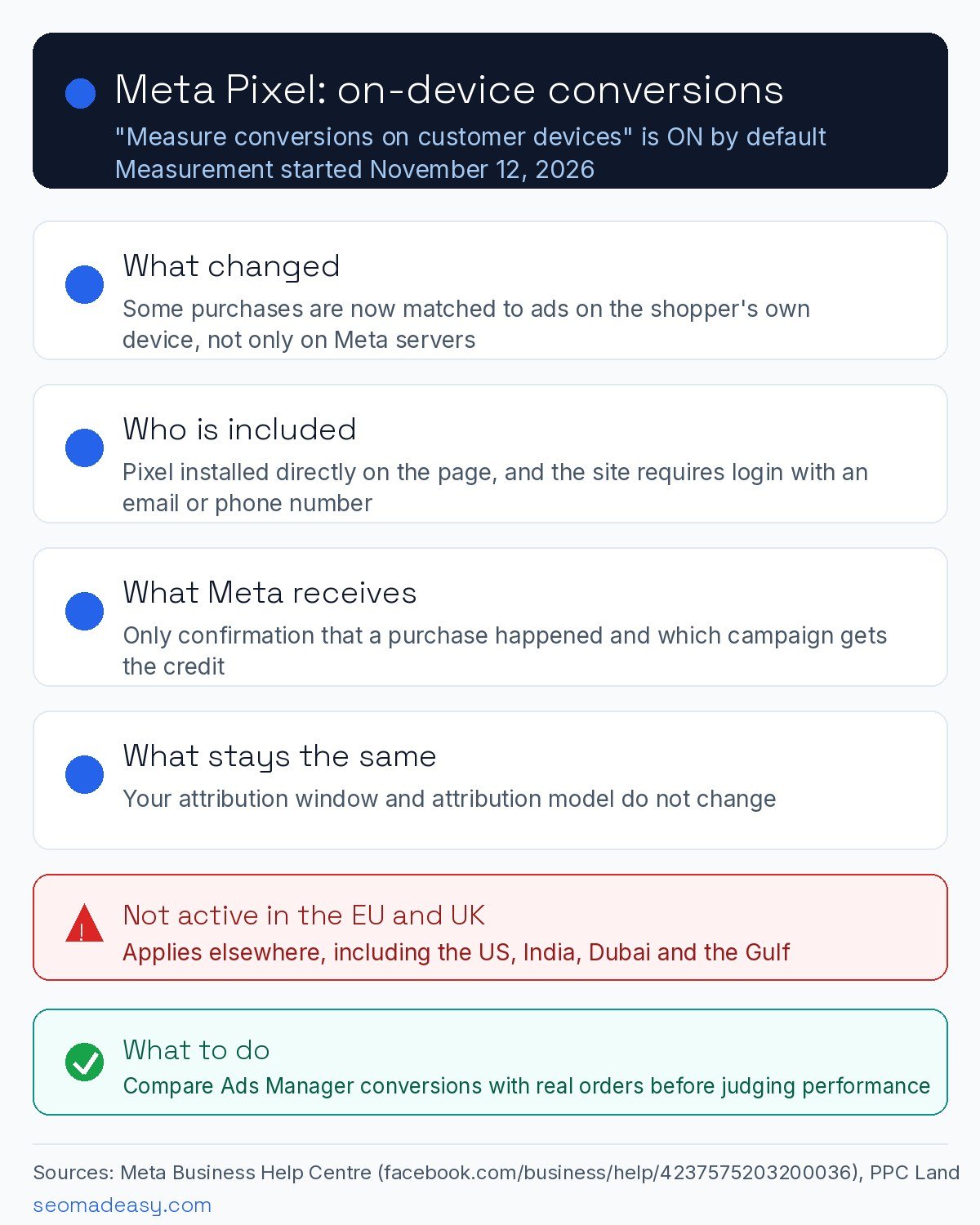
With the new setting, the match happens on the customer’s own device, where both the ad view and the purchase are present. It uses information the customer already shared with your business, such as an email address, plus temporary device information that Meta describes as non-identifying. Meta says no identifying customer information reaches it in this step: it only receives confirmation that a purchase happened and which campaign to attribute it to. The feature works alongside your existing pixel and Conversions API setup and replaces neither.
Which sites it applies to
Meta lists two conditions in its setup guide:
- Your pixel must be installed directly on the page – not inside an iframe and not as an image-only pixel.
- Your website must require people to log in to an account using an email address or a mobile phone number.
In practice, that narrows the change mostly to online stores and sites with a member area. A shop where everyone checks out as a guest, or a lead-generation page with a simple form and no accounts, is unlikely to see a difference under Meta’s stated conditions.
Where the setting is active
Meta states plainly that measuring conversions on customer devices “is not active for people located in the EU and UK.” Everywhere else, eligible pixels received the setting automatically. That covers the US, India, Dubai and the wider Gulf, so advertisers in those markets should assume it is already running on eligible sites.
What it means for your reporting
Your attribution window and attribution model stay exactly as they were – the setting changes which purchases can be measured, not how credit is split. But because more purchases can now be tied to an ad view, reported conversions and conversion value may rise even when real sales and ad spend stay the same. Reported cost per acquisition could fall and return on ad spend could look better without anything changing in your shop.
Meta gives two reasons to keep the setting on: you see more of the conversions you drive in campaign reporting, and campaigns get what it calls a stronger signal. Two things are not pinned down in Meta’s documentation: whether the recovered purchases feed automated bidding, and whether purchase values are included alongside the counts. Until Meta says more, treat those as open questions, and compare Ads Manager figures against your real orders before raising budgets on better-looking numbers. It is also your responsibility to make sure your integration does not share prohibited information with Meta.
We covered a similar reporting-transparency shift on Google’s side in Google Ads now shows what invalid traffic costs you, and another default-on automation change in Google Ads Editor 2.14’s AI Max defaults.
What to do now
- Check the toggle. In Meta Events Manager, go to Data sources, select your pixel, then Settings, and look for Measure conversions on customer devices.
- Reconcile before you react. Over the next few weeks, compare Ads Manager conversions against real orders in your store or CRM before judging campaign performance.
- Opt out if you want to. The same Settings path turns the feature off at any time. Most advertisers will keep it, but remember the extra conversions are recovered measurements, not new sales.
Sources: Meta Business Help Centre: About measuring conversions on customer devices; Meta Business Help Centre: How to turn on measuring conversions on customer devices; PPC Land, October 27, 2026; Slate, November 15, 2026.