
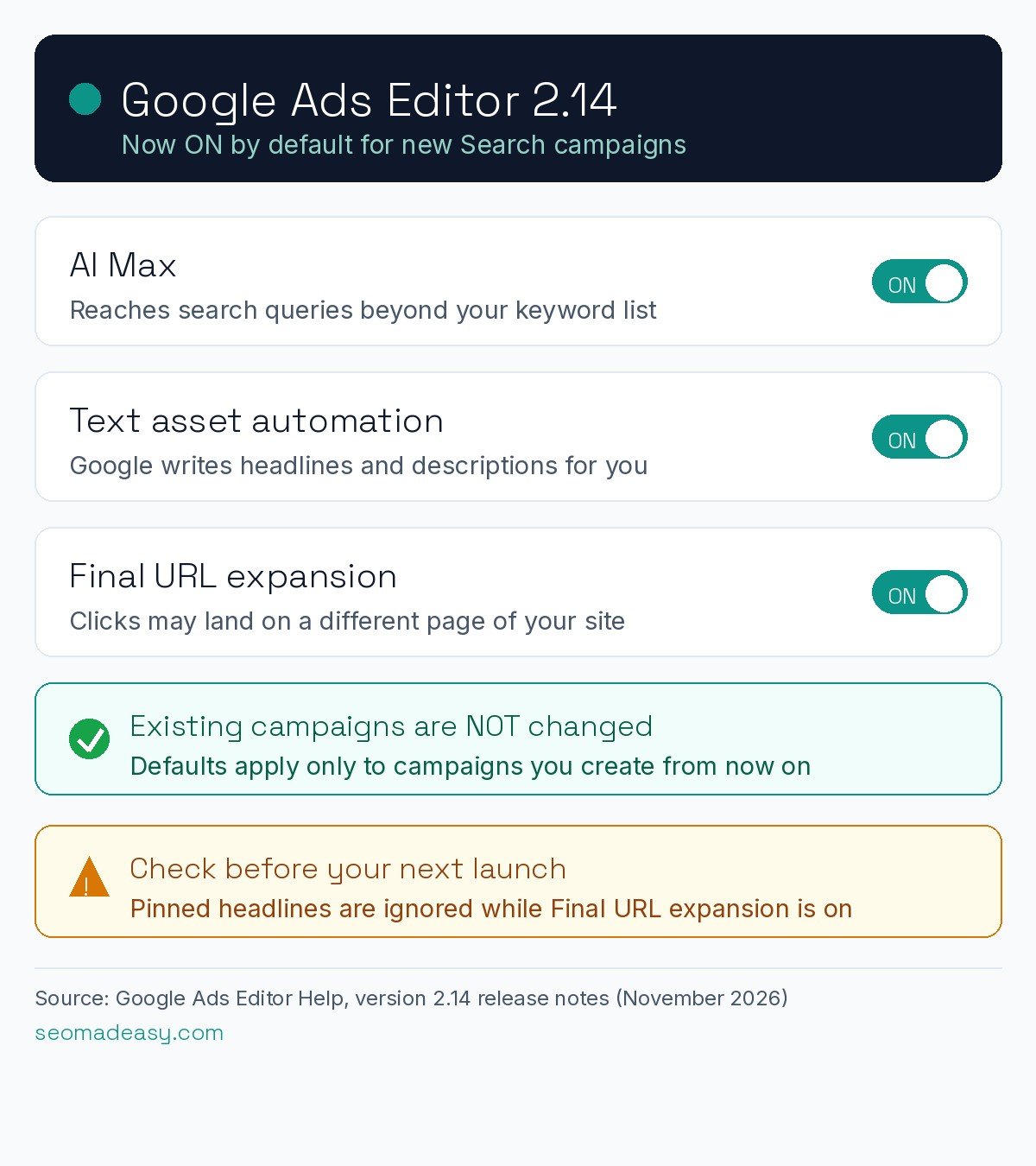
Google has released Google Ads Editor 2.14, the 2026 update to its free desktop app for managing Google Ads campaigns in bulk. The headline change: from this version, a new Search campaign created in Editor starts with AI Max, text asset automation and Final URL expansion already switched on, according to Google’s official release notes.
What changed in Google Ads Editor 2.14
Google’s release notes put it plainly: “AI Max, text asset automation, and Final URL expansion are now activated by default when creating new Search campaigns.” The notes list 10 new features in total. The others include:
- Account-level new customer acquisition (NCA) and retention settings can now be edited in Editor. They stay read-only for accounts using a conversion tracking parent (CTP).
- Loyalty retention configurations at both the account and campaign level.
- A new retention-only bidding option: “Only bid for lapsed customers.”
- Channel prioritization and budget caps, matching controls Google added to the main Google Ads interface in October.
- Background downloads for account and statistics data, so work can continue while data syncs.
- The option to turn off local inventory ads in Shopping campaigns has been removed.
PPC Land reported the release on November 12, 2026, alongside Search Engine Land and Search Engine Roundtable.
What AI Max actually does
AI Max is Google’s automation bundle for Search campaigns. It has three parts:
- Search term matching extends your keyword reach to related queries you did not list.
- Text asset automation (the renamed “automatically created assets”) writes headlines and descriptions from your landing pages, existing ads and keywords.
- Final URL expansion can send clicks to a different page on your domain than the one you chose.
One detail matters for control. According to Google’s AI Max implementation guidance, cited by PPC Land, Final URL expansion requires text customization, and when it is on, pinned headlines are not respected. If you pin a legal line or brand headline in position one, check this before anything else.
What stays the same
Nothing changes for campaigns that already exist. The defaults apply only to new Search campaigns created in Editor 2.14. That is a step further than Google’s September 2026 migration of older campaigns into AI Max, which left Final URL expansion off for migrated campaigns.
Google’s notes leave some questions open. They do not say whether the same default now applies to campaigns created in the Google Ads web interface or through the API, or to campaigns imported into Editor from a spreadsheet. We will update this article when Google clarifies.
What advertisers should do now
- Update Google Ads Editor to version 2.14. It is a free download from Google.
- Every time you create a Search campaign, check the AI Max settings before publishing. Turn off text asset automation or Final URL expansion if you want full control.
- If you pin headlines, review them before enabling these features.
- Watch your search terms report more closely in the first weeks of a new campaign.
Google has also been adding cost transparency elsewhere: see our coverage of the new invalid traffic reporting in Google Ads. And if you are weighing where your budget works hardest, our guide to online advertising platforms for small business budgets breaks it down.
Where this applies
Google Ads Editor is a free desktop tool that Google offers worldwide, and the release notes list no regional restrictions. Advertisers in the US, UK, India, Dubai and the wider Gulf who build campaigns in Editor should expect the same new defaults. Because Google has not confirmed whether the web interface behaves the same way, check your campaign settings wherever you create campaigns.
Sources: Google Ads Editor Help: version 2.14 release notes; PPC Land, November 12, 2026; Search Engine Land, November 12, 2026; Search Engine Roundtable, November 12, 2026.